

Xactimate Explained: Features, Uses, and Benefits
Xactimate is estimating software that prices property repairs line by line. Insurers, restoration contractors, and general contractors all use it. GCs and subcontractors who read an Xactimate estimate well protect their margin. Those who cannot read it absorb the gap. Price indexes, scope gaps, and overhead rules decide who pays that gap. Features, uses, benefits, and limits all shape the outcome.
Key figures
- $350 per month: Xactimate Professional on a one-month term, per the Xactware Store listing.
- $1,910 per year: Xactimate Standard on a 12-month term, one platform.
- 20%: common overhead and profit load, split as 10% overhead and 10% profit.
- 11.7%: year-over-year rise in BLS construction input prices, September 2026.
- 5.4%: year-over-year rise in BLS final-demand construction prices, September 2026.
- 3 platforms: desktop, online, and mobile on the Professional tier.
- Monthly: price list refresh cycle in most regions.
What Is Xactimate and Who Uses It?
Xactimate is estimating software from Xactware, a Verisk Analytics company. It prices repair work line by line from regional price lists.
A line item is one task, material, or service with a quantity and a unit price. A price list is a database of labor and material costs for one region and one month. Xactware first built the platform in 1986. Adjusters now use it to write loss estimates and settlement offers.
Four groups share the same line-item format:
- Insurance adjusters write the first estimate that anchors a settlement offer.
- Restoration and general contractors write estimates and supplements in the carrier’s format.
- Public adjusters represent policyholders and prepare independent estimates.
- Roofers, remodelers, and specialty subcontractors price storm repairs, renovations, and trade scopes.
A shared format lets two parties compare estimates line by line. United Policyholders notes that many builders still bid from subcontractor quotes instead. That habit leaves them at a disadvantage in settlement talks.
What Features Does Xactimate Include?
Xactimate includes sketching, price list search, guided scoping, and reporting on three platforms. The Professional tier covers desktop, online, and mobile.
| Feature | What it does | Bidder benefit |
| Sketch | Draws rooms, roofs, and levels; measurements feed quantities | Fewer takeoff errors |
| Price list search | Finds tasks and materials with regional unit prices | Same pricing language as the carrier |
| Macros and templates | Preload repeat groups of line items | Faster repeat scopes |
| XactScope | Guides scoping for water mitigation, roofing, and exteriors | Fewer missed items |
| Sketch AR | Captures dimensions with augmented reality | Faster field measuring |
| 3D sketching | Builds dimensional models of the property | Clearer scope for stakeholders |
| Suggested items | Recommends line items from the scope | Fewer manual searches |
| Photo documentation | Attaches photos and GPS data to the file | Proof for supplements |
| Autosave and updates | Saves progress and refreshes pricing | Less lost work |
Xactware states that Standard covers one platform of your choice. Professional adds all three platforms and 100+ hours of self-paced training. Several features cut bidder risk. The sketch ties quantities to drawn dimensions. XactScope guides users through scoping, so fewer items go missing. Photo and GPS records support later supplements. Cloud sync lets one estimator start on a desktop and finish on a tablet.
How Does Xactimate Build an Estimate?
An Xactimate estimate moves through seven steps. The sketch drives every quantity that follows.
- Set up the project. Enter the address, claim number, loss type, and date of loss. These fields select the templates and line categories.
- Sketch the structure. Draw each room, roof section, slope, and overhang. The software calculates square footage and slopes from the drawing.
- Add line items. Search the price list for each task. Edit quantities, unit prices, and notes to fit the scope.
- Apply waste factors. Waste is material lost to cuts and fitting. Complex shapes need higher waste than simple ones.
- Select the price list. Match the region and month to the job location and date.
- Review the totals. Check each line against the scope. Look for missing items.
- Generate the report. Export the estimate with sketches and cost breakdowns.
Every price list carries a code that shows where and when prices came from. The code OHCO8X_JAN23 breaks down as follows:
| Code part | Example | Meaning |
| Location code | OHCO | Columbus, Ohio |
| Version | 8X | Standard pricing version |
| Month and year | JAN23 | January 2023 |
Each Xactimate category code also maps to a CSI MasterFormat division. CSI MasterFormat is the Construction Specifications Institute’s 50-division standard for organizing project work. Estimators who bid from specifications can use this map.
| Xactimate code | Category | MasterFormat division |
| RFG | Roofing | Division 07 |
| CAB | Cabinetry | Division 06 |
| FCW | Wood floor covering | Division 09 |
Bidders pricing new homes can follow a method to estimate residential construction costs before building a home.
Need an Xactimate estimate you can defend?
Design And Bids construction cost estimating services deliver Xactimate estimates within 10 to 48 hours, built on 460+ regional price lists.
How Does an Xactimate Line Item Calculate Cost?
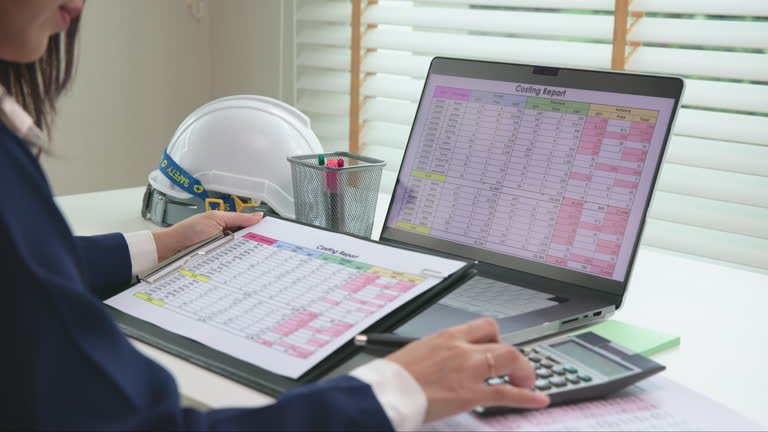
Each line item equals billable quantity times unit price. Unit prices bundle labor, material, and equipment.
Three formulas drive every Xactimate subtotal:
- Billable material quantity = measured quantity × (1 + waste factor)
- Line total = billable quantity × unit price
- Estimate subtotal = sum of all line totals
| Cost component | What it covers | Where it appears |
| Material | Product delivered to site, plus waste | Inside the unit price |
| Labor | Installer hours at regional rates | Inside the unit price |
| Equipment | Tools and equipment the task needs | Inside the unit price |
| Sales tax | Rate tied to the price list ZIP area | Separate tax line |
| Overhead and profit | General contractor coordination and margin | Separate summary line |
| Permits and special access | Jurisdiction and site conditions | Separate line items with notes |
Divide any line total by its quantity to recover the unit price. Compare that unit price with subcontractor quotes. A missing item or a short quantity shrinks the total without warning.
What Does Xactimate Cost?
Xactimate Professional lists at $350 per month on a one-month term. Xactimate Standard costs $1,910 per year on a 12-month term.
| Plan | Term | Listed price | Annual cost |
| Xactimate Standard (one platform) | 12 months | $1,910 | $1,910 |
| Xactimate Professional (three platforms) | 1 month | $350 per month | $4,200 |
| XactAI add-on | Monthly | $29 per user per month | $348 |
Standard works out to $159 per month. Professional costs $4,200 per year when renewed monthly. Over three years, Standard costs $5,730 and Professional costs $12,600, before add-ons. Xactware lists the XactAI price as introductory pricing. Professional includes training time that Standard does not.
What Adds Cost to an Xactimate Estimate?
Overhead and profit add 20% to the line-item subtotal when a general contractor coordinates the work. Tax, permits, and access limits add more.
Verisk’s own paper states that general overhead and profit sit outside published unit prices. Overhead and profit (O&P) pays for a general contractor’s coordination costs and margin. The common load is 10% overhead plus 10% profit.
| Adder | Trigger | How to price it |
| Overhead and profit | GC coordinates multiple trades | 20% of the subtotal |
| Sales tax | Taxable materials | Rate from the ZIP-based price list |
| Permit fees | Code-required permits | Separate line from the local fee schedule |
| Site access limits | Equipment cannot reach the work | Add a line item and a justifying note |
| Custom or historic finishes | Materials outside generic pricing | Add a subcontractor quote |
| Price-index drift | Price list older than the market | Escalation allowance by line |
Carriers often apply a three-trade rule. Three or more trades trigger overhead and profit. United Policyholders calls it a rule of thumb that rarely binds by law. Courts in some states have ordered O&P whenever a GC would reasonably be needed.
How Do RCV, ACV, and Overhead and Profit Change the Payout?
Payout equals replacement cost value minus depreciation minus the deductible. Overhead and profit raise that starting value by 20% of the subtotal.
RCV (replacement cost value) is the cost to replace damaged property with new property. ACV (actual cash value) equals RCV minus depreciation. Depreciation is the value lost to age and wear. The deductible is the amount the policyholder pays first.
- RCV = line-item subtotal + O&P + tax
- ACV = RCV − depreciation
- Payout = ACV − deductible
The table below uses illustrative inputs and excludes tax.
| Step | Calculation | Result |
| Line-item subtotal | Sum of line totals | $50,000 |
| Overhead and profit | $50,000 × 20% | $10,000 |
| RCV | $50,000 + $10,000 | $60,000 |
| Depreciation | Assumed input | $8,000 |
| ACV | $60,000 − $8,000 | $52,000 |
| Deductible | Assumed input | $2,500 |
| Payout | $52,000 − $2,500 | $49,500 |
A $50,000 subtotal grows by $10,000 once overhead and profit apply. Depreciation then removes $8,000 until the repairs finish.
How Do Price Indexes and Escalation Change Xactimate Numbers?
BLS inputs to construction industries rose 11.7% year over year in September 2026. Final-demand construction prices rose only 5.4%.
The gap equals 6.3 percentage points. Contractors absorb that gap when selling prices lag input costs. Xactimate price lists refresh monthly, yet inputs rose 2.1% from August to September 2026 alone. A bid built on an old list prices below replacement cost. Xactware has long told users to watch local costs when fuel prices move.
| BLS index (September 2026) | Change since September 2025 |
| Inputs to construction industries | 11.7% |
| Inputs to construction, goods | 11.2% |
| Inputs to construction, energy | 69.9% |
| Inputs to construction, services | 12.8% |
| Inputs, goods less foods and energy | 5.8% |
| Maintenance and repair construction | 12.0% |
| Final demand construction | 5.4% |
| Steel mill products | 27.6% |
| Lumber and plywood | 9.6% |
| Ready-mixed concrete | 2.3% |
| Gypsum building materials | −0.4% |
| Construction wages and salaries (ECI, Q2 2026) | 3.5% |
An escalation clause adjusts the contract price when an agreed index moves. ABC and AGC recommend the ConsensusDocs 200.1 Material Price Escalation Amendment at signing. Tie each escalation to a named index, a base month, and a cap.
Need an Xactimate estimate you can defend?
Design And Bids construction cost estimating services deliver Xactimate estimates within 10 to 48 hours, built on 460+ regional price lists.
How Does Regional Pricing Work in Xactimate?
Each price list covers one region and one month. A wrong location code pulls prices from the wrong market.
Xactware’s help center states that price lists carry area-specific data, such as sales tax rates, for each ZIP code. Most regions receive a new list every month. Each monthly list adds roughly 10 new line items and revises roughly 30 more. Check these fields on every estimate header:
| Header field | What to verify | Risk if wrong |
| Location code | Matches the job ZIP code | Wrong labor and tax rates |
| Month and year | Matches the bid date | Stale prices in a rising market |
| Version | Matches the carrier’s version | Mismatched line items |
| Price overrides | Local subcontractor quotes noted | Generic pricing stays in place |
Xactimate prices by region, not by building. United Policyholders warns that default pricing produces wrong output until a user adjusts it to local costs. Custom, historic, and high-value properties usually exceed generic pricing.
When Does an Xactimate Estimate Need a Supplement?
An estimate needs a supplement when work uncovers damage or quantities the first scope missed. Photos and measurements must back each added line.
A supplement is a documented request to add missed items to an approved estimate. Watch for these signs:
- Opened walls or floors show hidden damage.
- Field measurements exceed the sketch quantities.
- The price list predates the repair start by several months.
- The estimate omits overhead and profit on a multi-trade job.
- Site access blocks equipment that the pricing assumes.
- Local code requires upgrades beyond the original scope.
Renovation scopes follow the same logic. A home renovation cost estimator shows how to price remodeling expenses before work starts.
| Scenario | Xactimate approach | Pricing rule |
| Repair | Remove and replace damaged components only | Price removal and replacement as separate lines |
| Full replacement | Replace the whole system or assembly | Replacement equals new work plus removal |
| New construction | Price each assembly from plans | Use a sketch built from drawings |
How Does an Xactimate Estimate Compare With Subcontractor Bids?

Carrier estimates use a monthly regional price list. Subcontractor bids use current supplier quotes and often cover hidden scope.
United Policyholders states that comparing the two “apples to apples” is hard. Bid-leveling closes that gap. Bid-leveling means adjusting competing bids to the same scope, units, and exclusions. Teams that level Xactimate lines against subcontractor quotes can build that workflow with construction bid estimating support.
| Aspect | Carrier estimate | Contractor estimate |
| Built from | First visual inspection | Actual demolition and repair work |
| Pricing source | Monthly regional price list | Current supplier quotes |
| Scope | Visible damage | Visible and hidden damage |
| Timing | Before repairs begin | During or after repairs begin |
| Adjustment path | Supplement | Change order or supplement |
Bid-leveling checklist
- Confirm the price list region and month.
- Match scope line by line.
- Normalize units, such as SF, LF, SQ, and EA.
- Compare what each unit price includes: labor, material, and equipment.
- Check overhead, profit, and tax treatment.
- List exclusions, such as permits, access, and disposal.
- Record bid validity dates and escalation terms.
What Are the Limits of Xactimate?
Xactimate prices from generic regional data, so custom or historic work needs manual pricing. Users also need training to avoid low estimates.
- Generic pricing. United Policyholders reports that median survey pricing can trail market conditions. It calls the software best suited to tract homes.
- Price lag. Monthly lists trail fast-moving markets, as the BLS data shows.
- No accuracy guarantee. Xactware’s license disclaims accuracy of its pricing data.
- Training demand. Sketching, line items, and waste factors take real practice. Untrained users usually produce low estimates.
- Site and weather conditions. Rain, cold, and access limits change real cost. Document them with line items and notes.
- Commercial scale. Large commercial losses need assembly-level pricing and multi-trade coordination beyond default lists.
How Can Bidders Reduce Estimating Cost and Disputes?
Verify the price list month first. That one check removes the largest source of price drift.
| Action | Savings type | Effect |
| Verify price list region and month | Rework cost | Prevents stale or mismatched pricing |
| Sketch from measured dimensions | Quantity error cost | Prevents short quantities |
| Attach photos and notes | Dispute time | Speeds supplement approval |
| Save macros for repeat scopes | Labor hours | Cuts repeat entry |
| Attach subcontractor quotes to custom items | Margin loss | Closes the pricing gap |
| Train staff or outsource peak volume | Seat and error cost | Avoids idle subscriptions |
Should You Use Xactimate In-House or Hire a Pro?
A Professional seat costs $4,200 per year on monthly terms. Outsourcing avoids that cost and the learning curve.
Buy seats when you estimate every week. Hire a pro when volume is low, or scopes are complex. Design And Bids provides certified Xactimate estimating services with 20+ years of experience.
Contractor vetting questions
- Which certification levels do your estimators hold?
- Which price list region and month will you use?
- Do you write supplements and support negotiation?
- Do you deliver native ESX files and PDF reports?
- How long does a standard estimate take?
- Does a QA audit review every estimate?
Read the warranty terms in writing. Xactware’s license disclaims pricing accuracy, so ask the vendor to stand behind scope accuracy.
Scam red flags
- Guaranteed payout increases
- No price list code on the estimate
- Fees that hide a percentage of your payout
- No sample estimate on request
- Refusal to deliver native files
What Is the Step-by-Step Xactimate Workflow for GCs and Subs?
Run eight steps, from price list check to supplement. A $4,000 pricing gap becomes a $4,800 supplement request after overhead and profit.
- Collect the carrier estimate and its price list code.
- Verify the header for region, month, and version.
- Build your own scope from field measurements.
- Level subcontractor bids to the carrier’s scope and units.
- Add an escalation allowance where indexes outrun the price list.
- Apply overhead and profit of 20% where a GC coordinates the work.
- Reconcile RCV and ACV with the carrier’s depreciation.
- Submit a supplement with photos, measurements, and quotes.
Worked example with illustrative inputs: the carrier subtotal is $50,000. Your leveled subcontractor bids total $54,000. The gap equals $4,000, or 8% of the carrier subtotal. Overhead and profit raise the gap to 4,800(4,000 × 1.20). Your supplement requests $4,800.
What Else Do GCs, Subs, and Bidders Ask About Xactimate?
Do Xactimate estimates include permit fees?
Permit fees sit outside labor, material, and equipment unit prices. Add them as separate line items. Use the issuing authority’s current fee schedule. Note the permit type and jurisdiction on each line.
Can an escalation clause cover Xactimate price list lag?
Yes. An escalation clause shifts index risk, such as the 11.7% annual rise in September 2026, to the contract. Name the index, set a base month, and agree on a cap. Apply the clause to materials with documented price moves.
Do weather and temperature limits change Xactimate pricing?
No. Price lists vary by region and month, not by daily weather. Price cold-weather protection, rain delays, and access limits as separate lines. Support each with notes and photos.
How do you convert measured quantity to billable quantity?
Divide the roof area by 100 square feet to get squares, then add waste. A 2,400 ft² roof equals 24 squares (SQ). Here is an example with a 10% waste factor: 24 SQ × 1.10 = 26.4 SQ. A line total of $9,900 divides by 26.4 SQ gives $375 per SQ.
Should you compare per-unit or per-line-total pricing?
Compare unit prices first. A total can hide a quantity error. Example: a subcontractor quotes $390 per SQ against Xactimate’s $375 per SQ. The $15 gap across 26.4 SQ equals $396. Check quantities before you dispute rates.
What is the cost per year of using Xactimate?
A Standard seat costs $1,910 per year. A Professional seat on monthly terms costs $4,200 per year. XactAI adds $348 per user per year at introductory pricing. Professional includes 100+ hours of training.
Final Words
Xactimate gives bidders a shared pricing language, but its numbers need checks against current costs. Inputs rose 11.7% year over year in September 2026.
Use it for sketch-driven quantities, line-item transparency, and carrier-ready reports. Verify the price list monthly, level subcontractor bids, and apply 20% overhead and profit where a GC coordinates trades. Document hidden scope with photos. Escalate prices where indexes outrun the list.
Ready to price with confidence?
Design And Bids construction cost estimating services return carrier-ready Xactimate estimates within 10 to 48 hours.
Contact Design And Bids to start your estimate.
